
Seedream 4.5

Create product and layout visuals from references.

20credits / image

Core capabilities and creative approaches

Set priorities for posters and product visuals

A promotional image needs a place for the product, headline and supporting information. Seedream 4.5 can explore layouts around these elements, making the subject prominent before guiding attention to benefits or details. Set the aspect ratio, subject size and text regions first, then describe the background and decorative treatment.
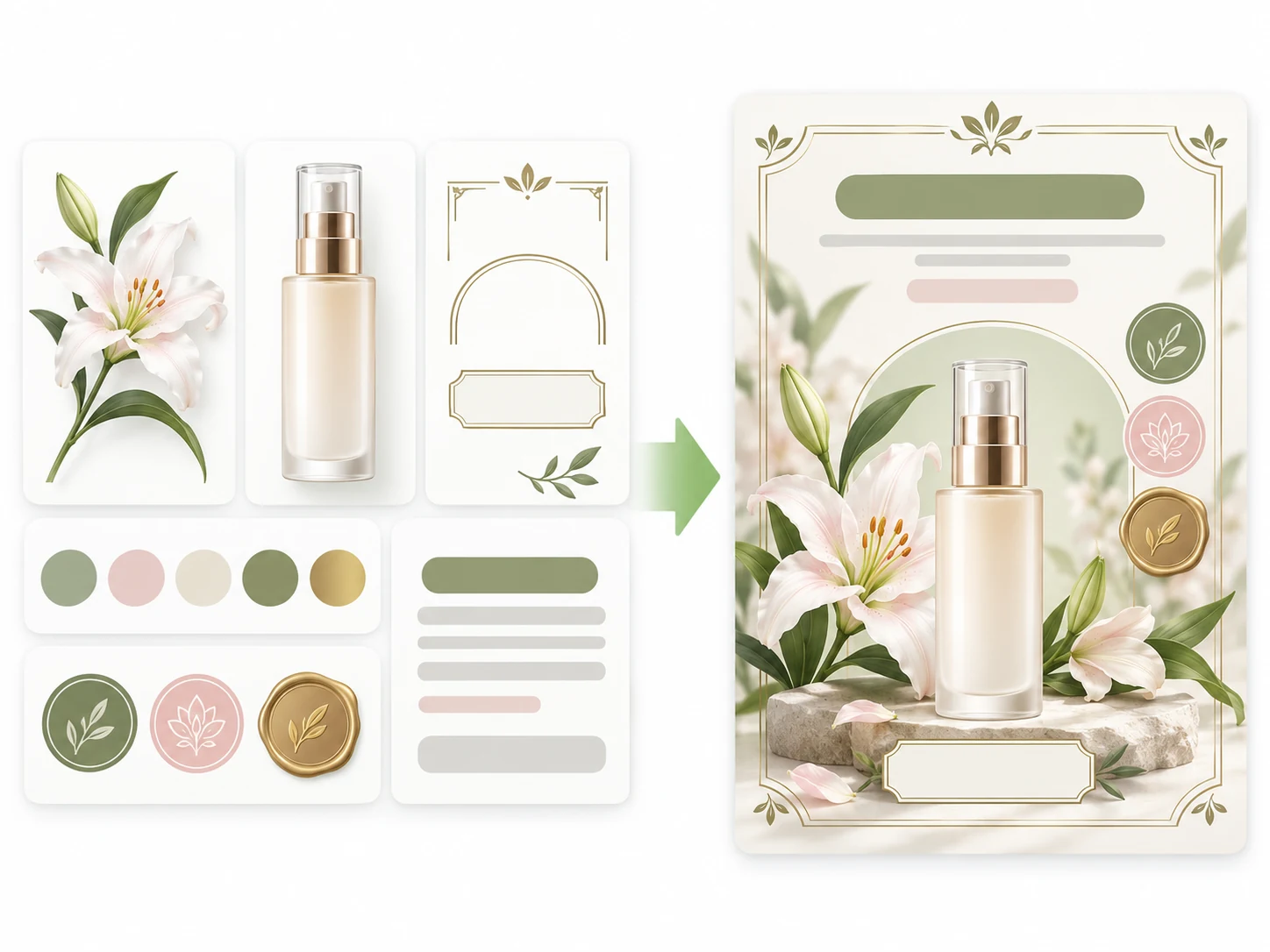
A product bottle, lilies, decorative frames and text-free copy placeholders assembled into a graphic poster illustration.

How to prompt it

Place a product bottle slightly below center, reserve headline space above and put two benefits on the right. Keep the palette consistent and decoration clear of the subject and wording.
Preserve subject cues while exploring new settings

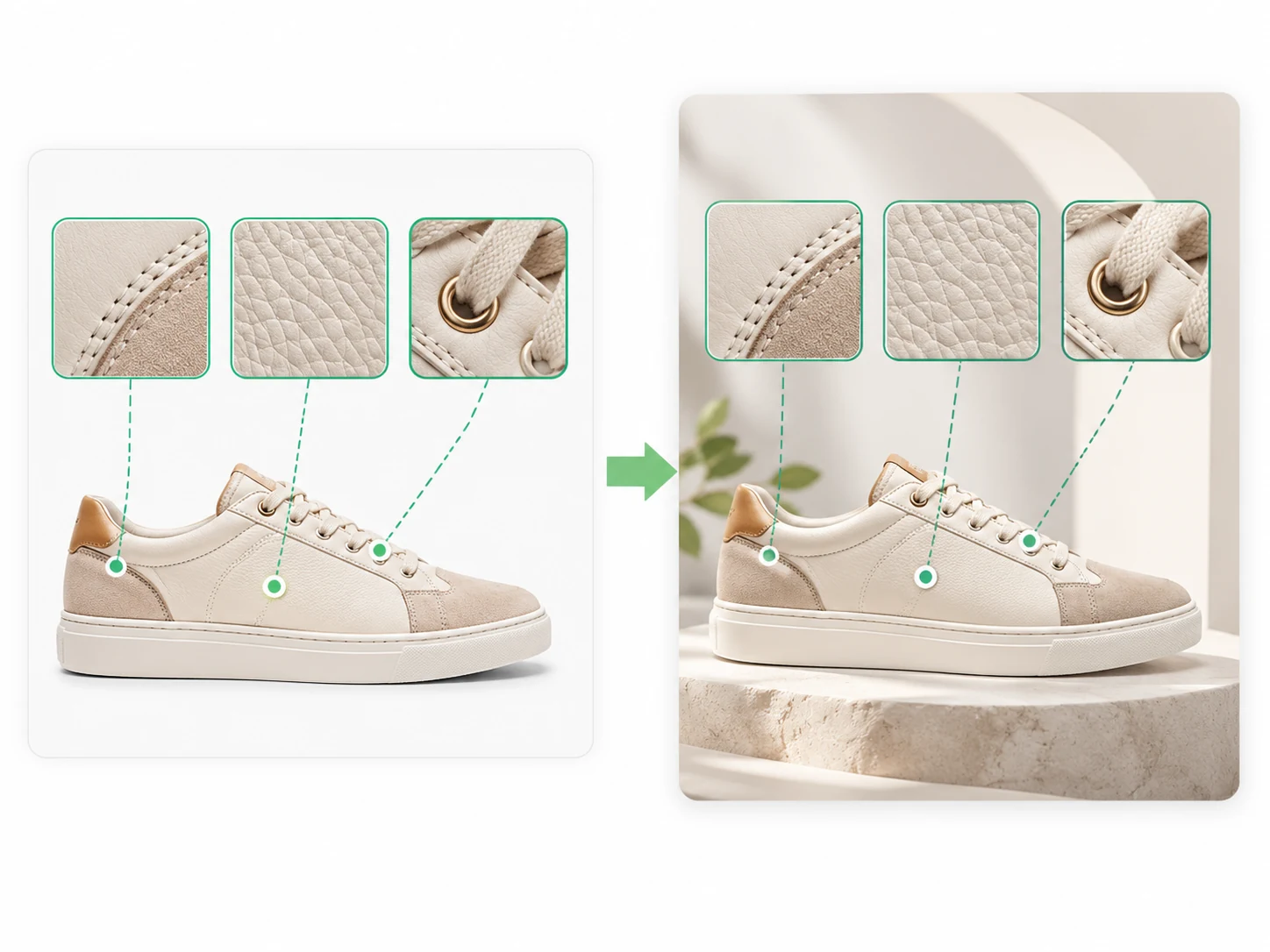
Different backgrounds can give one product several promotional directions. Seedream 4.5 can use a reference to guide the main silhouette, colors and materials while exploring a new scene or light. Describe the product separately from the environment you want to change, then compare which treatment suits the task.

Sneaker stitching, leather grain and lace eyelets compared between reference and redesigned scenes.

How to prompt it

Use a sneaker reference and preserve its silhouette, leather grain, stitching and lace eyelets. Change only the background and light, keeping the same camera angle. Review each of these details in the result.

Give each reference a distinct role

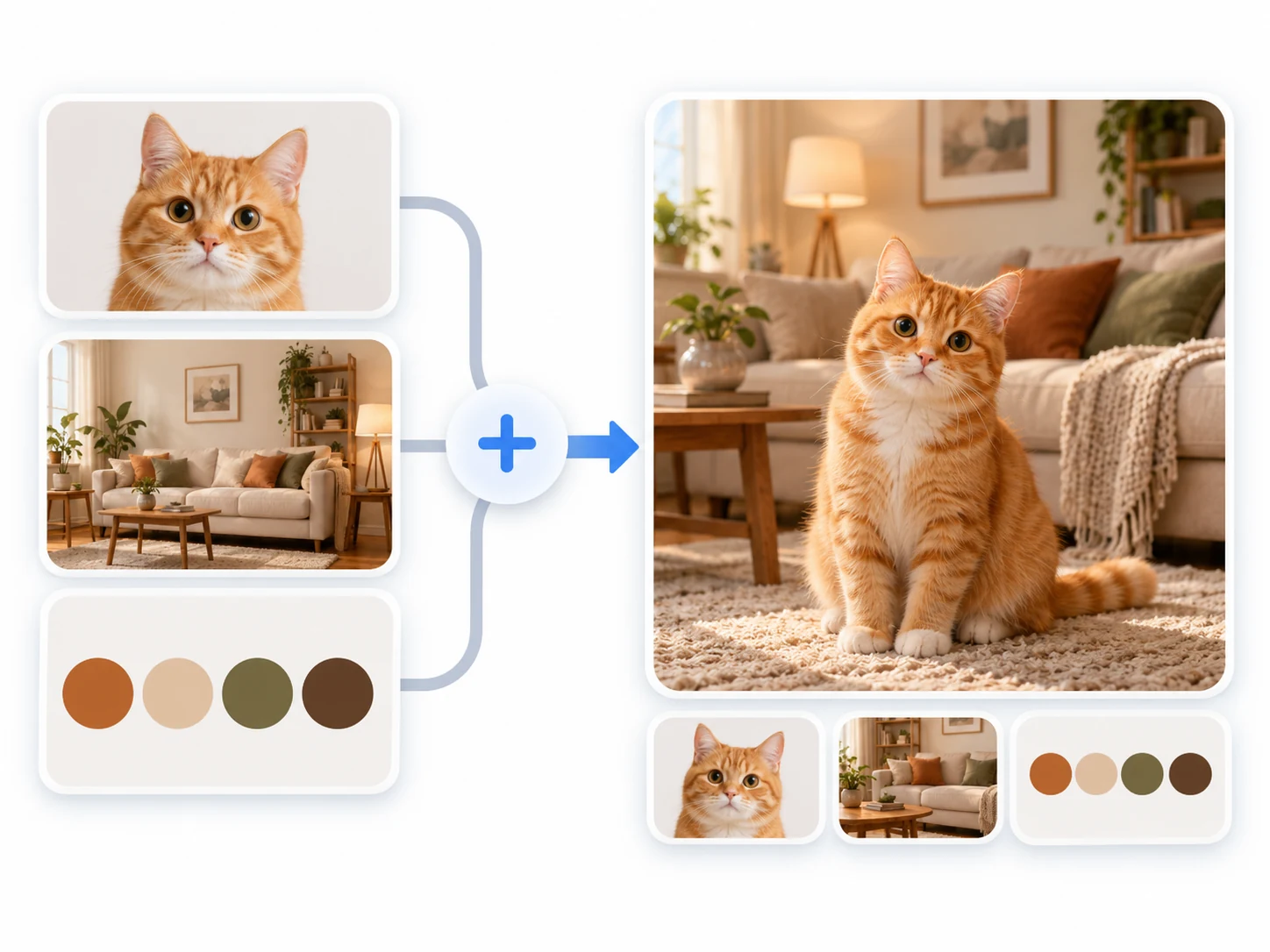
Subject, palette and layout references can contribute to one concept, but conflicting cues make the direction harder to follow. Assign one image to the subject and others to color or composition. State which elements can change so Seedream 4.5 has a clear brief for combining the materials.

An orange cat, cozy living-room scene and warm palette combined into one illustrative composition.

How to prompt it

Use the first reference for the character, the second for colors and the third for an invitation layout. Specify subject features to preserve, headline placement and the overall style.

Is this model a fit for your task?

When to try this model

Try it for promotional posters, product scene variations, invitations and multi-reference proposals. Seedream 4.5's 2K setting is a practical starting point for establishing a subject, arranging a layout and exploring scene changes.

What to consider

Inspect labels, wording, materials and small shapes that may change from the references. ImageWish currently offers only 2K for this model. Give each reference a clear role, and handle precise brand copy or final typesetting during later production.

ImageWish

Try Seedream 4.5 for free on ImageWish

Sign up for ImageWish for free to receive a one-time gift of 100 credits. Verify your email to use these credits to try Seedream 4.5 for free. No credit card is required.

A 2K image with Seedream 4.5 currently costs 20 credits. If you use the entire signup gift for this setting, it covers up to 5 images. Choose your output settings in the workspace and check the credit cost before generating.

The signup gift is shared across all supported models and is granted once per new account. When your credits run out, you can buy a one-time ImageWish credit package as needed, with no subscription or automatic renewal.

Text and reference images
Start with text, or add up to 5 JPEG, PNG or WebP references in the workspace. Describe what to preserve and change.
Multiple aspect ratios
1:1 · 2:3 · 3:2 · 3:4 · 4:3 · 9:16 · 16:9
Your creation flow
Choose settings, check the credit cost and generate one image. Follow progress in history, then view and download the result. You can switch models in the same workspace.

Resolution and credit cost

Resolution and credit cost
ResolutionCredits per image
2K20

Each generation creates one image. Choose a resolution in the workspace and check the credit cost before you generate. Higher resolution uses more credits; completed images are saved in your generation history.

View ImageWish credit packages

Frequently asked questions

Can I choose 1K or 4K for Seedream 4.5?

ImageWish currently offers 2K output for Seedream 4.5. Check other model pages and their cost tables if you need another resolution, then confirm the available options in the workspace.

Will more references make the result closer to my brief?

Clear roles matter more than quantity. Choose relevant materials, state whether each controls the subject, layout or palette, and remove conflicting instructions.

Make it your own

Start with your idea. Seedream 4.5 will be selected in the workspace.

Start creating

Explore another model