
Nano Banana Pro

Turn detailed briefs into brand visuals.

50credits / image

Core capabilities and creative approaches

Translate a detailed brief into a clear layout

A product ad may need a hero object, benefits, brand colors and a headline in the same frame. Nano Banana Pro can organize a composition around these requirements. Establish the main visual first, then define hierarchy, spacing and supporting elements. Separating essential content from flexible styling gives you concrete criteria for reviewing the result.
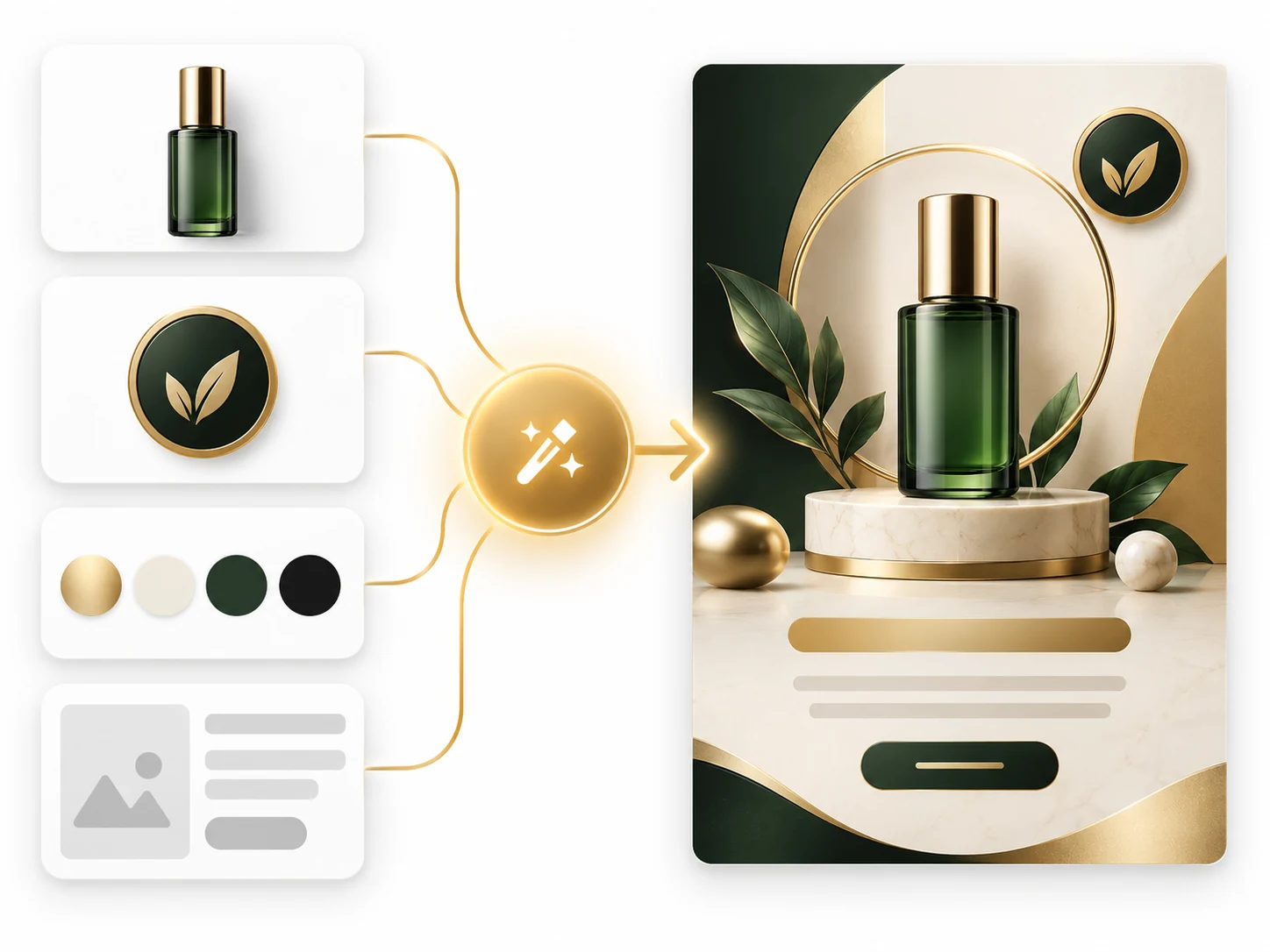
Product, brand symbol, palette and layout references combined into a green-and-gold advertising concept.

How to prompt it

List the product, headline, two benefits and brand palette. Place the product centrally, the headline above and the benefits to the right, with a simple background.
Bring product and brand elements into one visual direction

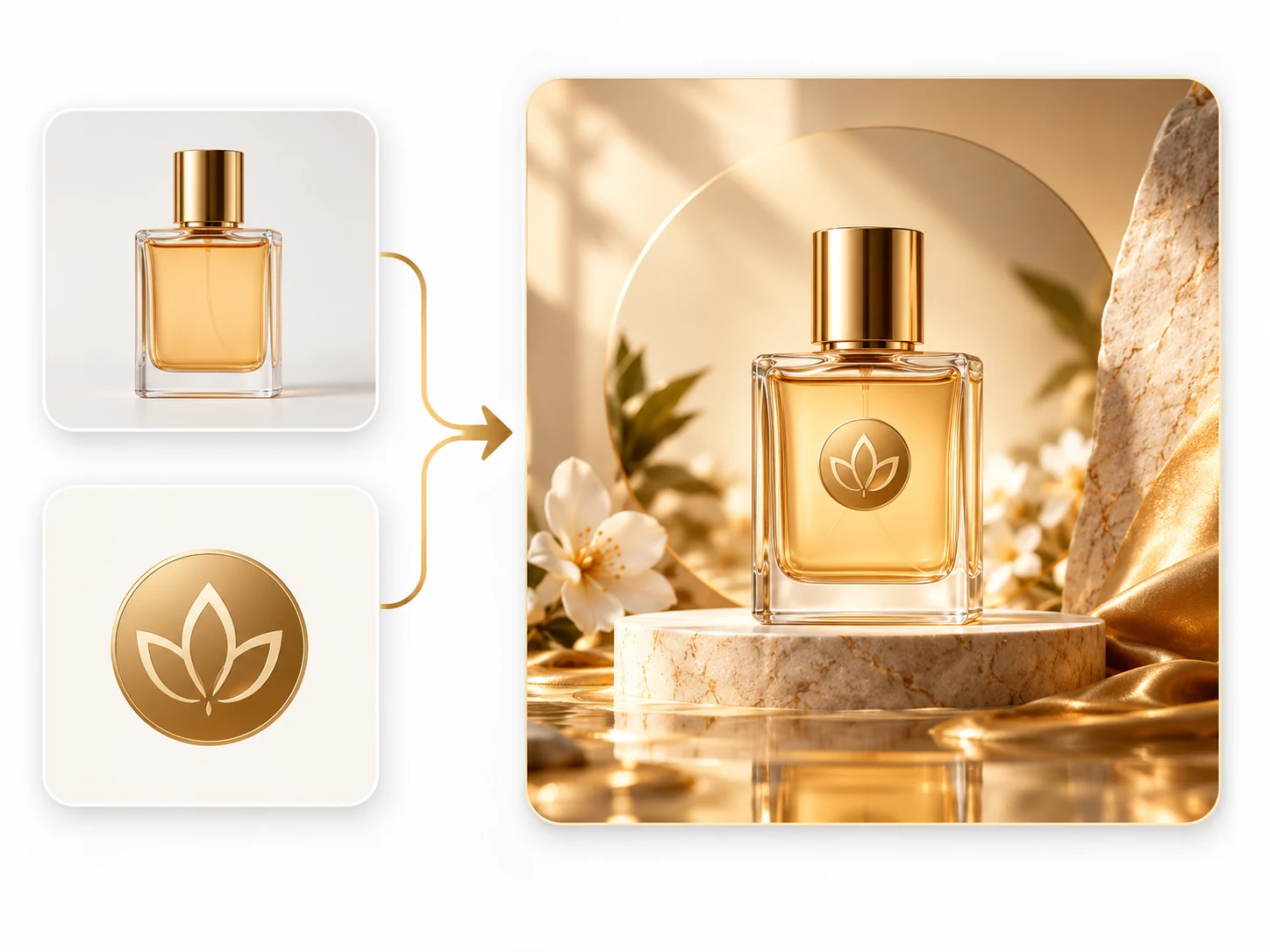
Product photographs provide shape and material cues; a mark and palette provide brand context. Nano Banana Pro can use these references to explore placement, backgrounds and lighting for an ad concept. State which bottle, packaging or label details must remain, then compare the result with the original brand files before final use.

Separate perfume bottle and botanical emblem references arranged into a product campaign composition.

How to prompt it

Ask to preserve the bottle silhouette, label content and primary brand color while changing only the background, lighting and placement. Assign separate roles to the product, mark and mood references.

Direct complex scenes through camera, light and material

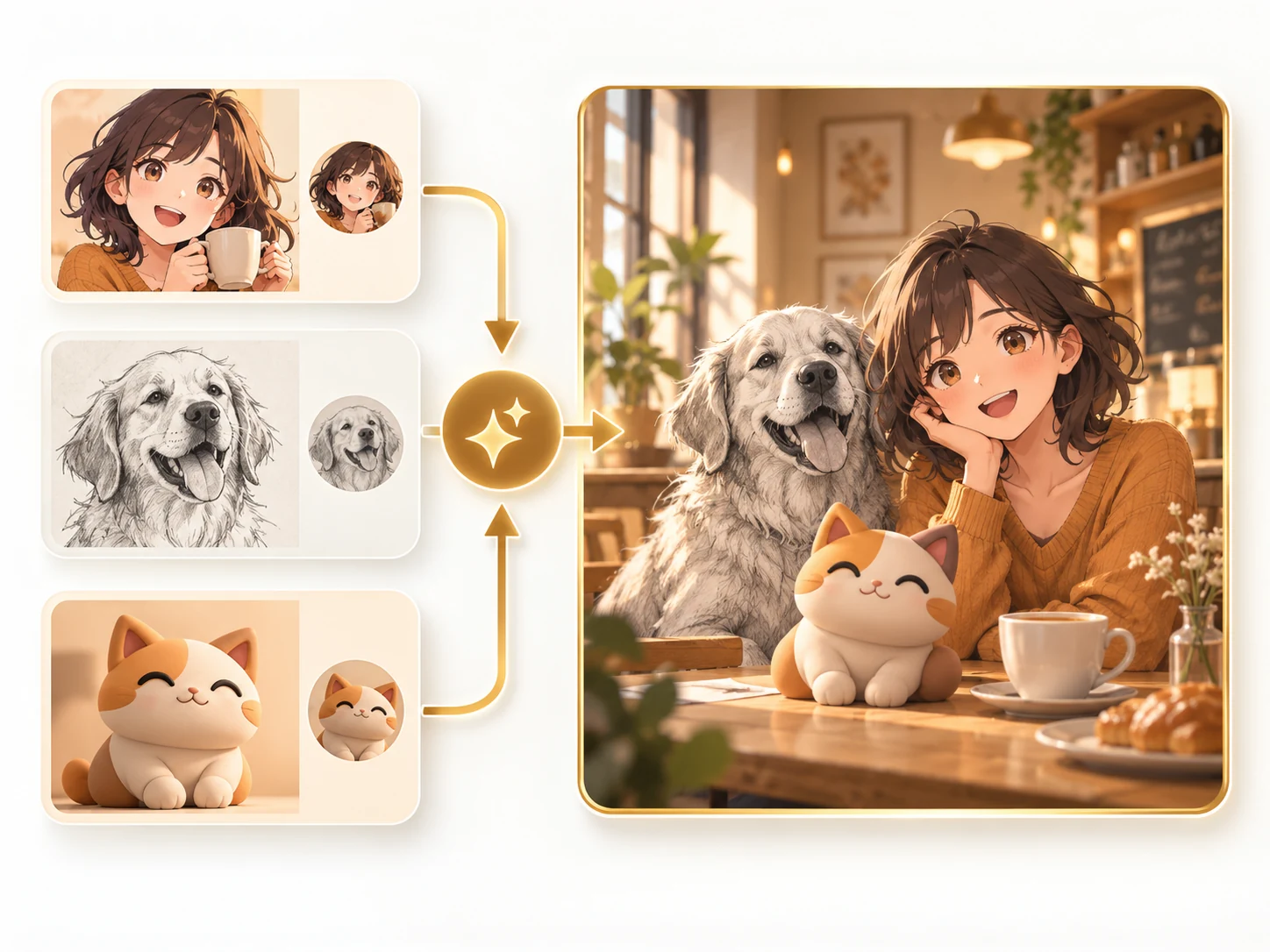
One scene can contain several materials or subjects drawn in different styles. Describe who belongs in the foreground, where the camera sits and how the light reaches each object. For mixed styles, give each subject a treatment, then define shared perspective, space and shadows so the composition has a consistent visual logic.

An anime character, a sketched dog and a clay-style cat joined in one illustrated café scene.

How to prompt it

Place an illustrated character, a sketched dog and a clay-style cat in one cafe. Use an eye-level camera and daylight from the left, with a shared shadow direction.

Is this model a fit for your task?

When to try this model

Try it for product ads, brand proposals, character posters and concepts with several subjects, text or specific photographic requirements. Nano Banana Pro is a useful option when your brief already names the visual details you want to control.

What to consider

Inspect brand wording, mark proportions, product details and subject consistency. References cannot guarantee pixel-exact reproduction. ImageWish creates a new image from prompts and references; original brand assets and precise typesetting can be applied during final production. Consider the credit cost of each output size.

ImageWish

Try Nano Banana Pro for free on ImageWish

Sign up for ImageWish for free to receive a one-time gift of 100 credits. Verify your email to use these credits to try Nano Banana Pro for free. No credit card is required.

A 1K image with Nano Banana Pro currently costs 50 credits. If you use the entire signup gift for this setting, it covers up to 2 images. Choose your output settings in the workspace and check the credit cost before generating.

The signup gift is shared across all supported models and is granted once per new account. When your credits run out, you can buy a one-time ImageWish credit package as needed, with no subscription or automatic renewal.

Text and reference images
Start with text, or add up to 5 JPEG, PNG or WebP references in the workspace. Describe what to preserve and change.
Multiple aspect ratios
1:1 · 2:3 · 3:2 · 3:4 · 4:3 · 9:16 · 16:9
Your creation flow
Choose settings, check the credit cost and generate one image. Follow progress in history, then view and download the result. You can switch models in the same workspace.

Resolution and credit cost

Resolution and credit cost
ResolutionCredits per image
1K50
2K70
4K90

Each generation creates one image. Choose a resolution in the workspace and check the credit cost before you generate. Higher resolution uses more credits; completed images are saved in your generation history.

View ImageWish credit packages

Frequently asked questions

How should I choose between Nano Banana Pro and Nano Banana 2?

Start with Nano Banana 2 for general visual copy and reference-based work. Try Pro when a brief has more brand, layout or photography constraints. Pro costs more credits at the same resolution, so judge the result against your own materials and requirements.

Will an uploaded mark or package stay exactly the same?

Exact reproduction is not guaranteed. Specify colors, proportions and wording to preserve, then check them against the originals. Use original brand assets for the final mark and precise packaging text.

Make it your own

Start with your idea. Nano Banana Pro will be selected in the workspace.

Start creating

Explore another model