
GPT Image 2.5 Flare

Refine your visual ideas through focused changes.

20credits / image

Core capabilities and creative approaches

Change one variable at a time to compare directions

Fixing the subject and composition before changing color, background or lighting makes creative comparisons easier to read. GPT Image 2.5 Flare can explore these specific instructions. Name the intended change for each round so the brief stays focused as you iterate.
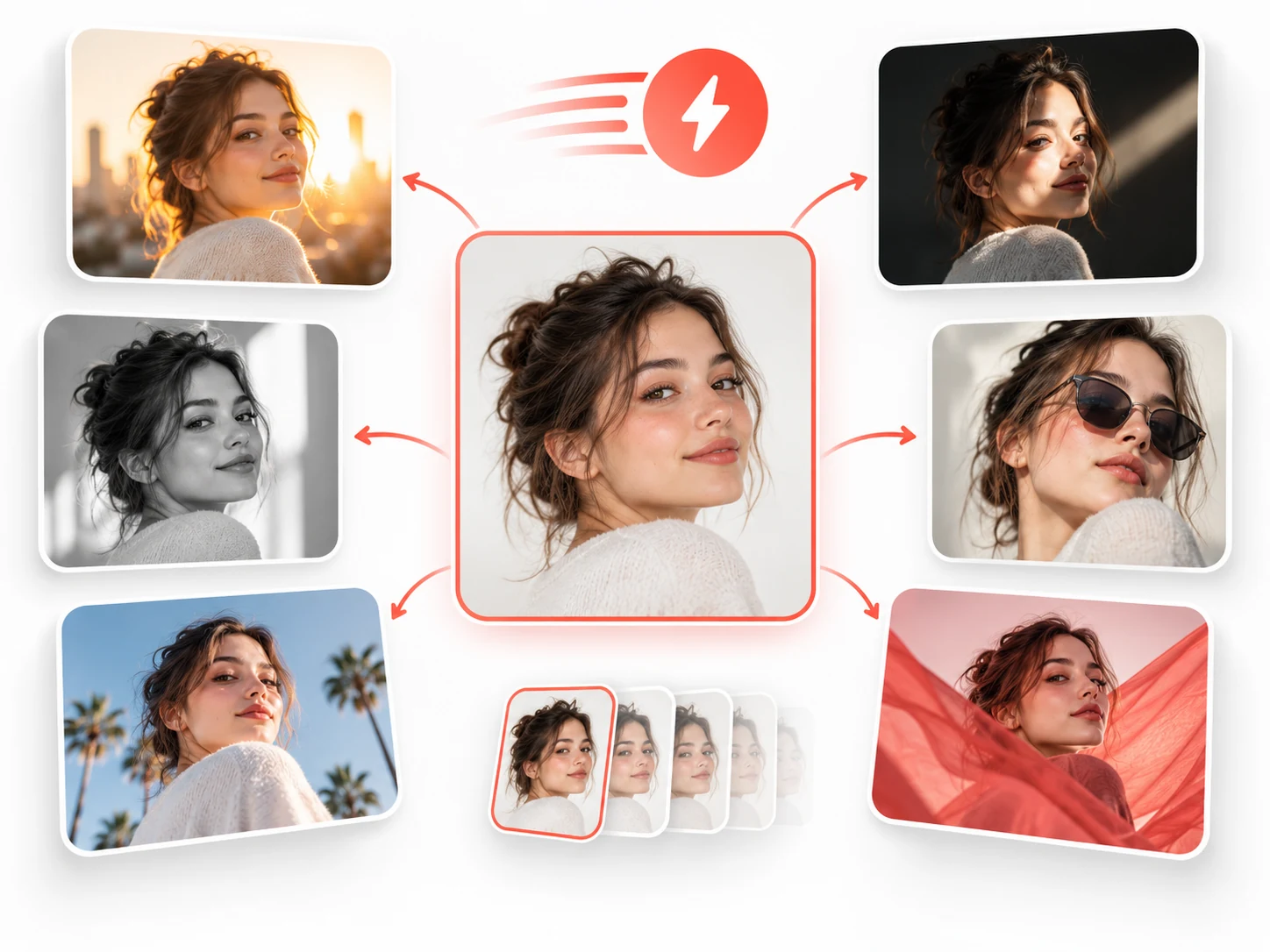
A portrait surrounded by variations in lighting and style, joined by iteration arrows.

How to prompt it

Keep a chair's silhouette, material and placement. Change only the wall color in one round and the lighting direction in the next. Record the changes and compare results against the same criteria.
Describe portraits through photographic choices

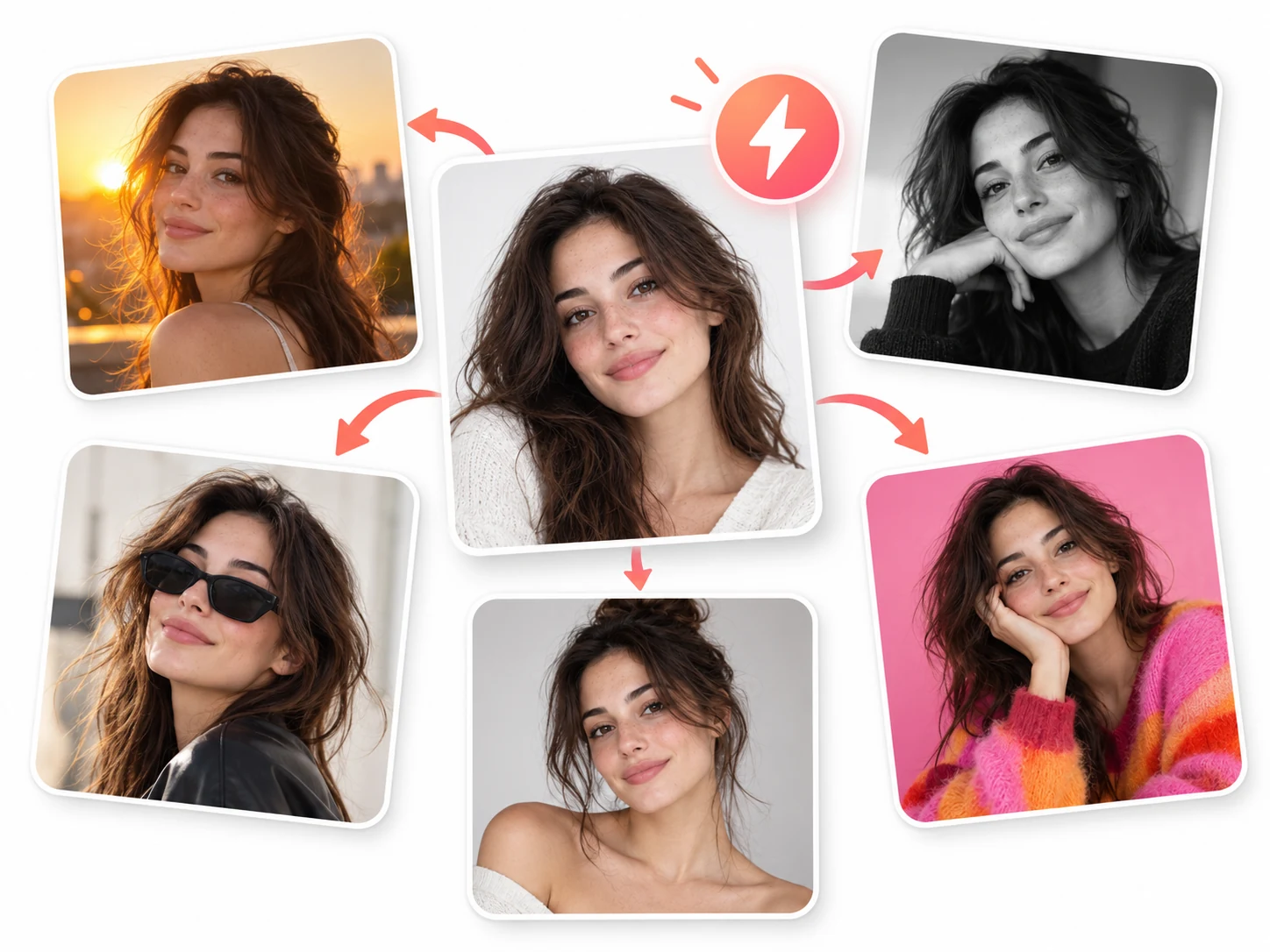
A portrait's mood comes from camera distance, pose, light and background. Use these concrete choices to explore a photographic style with GPT Image 2.5 Flare. Describe what the subject is doing and where the camera sits, then define the light source and color treatment.

Portrait variations in golden-hour, monochrome, editorial and studio photography treatments.

How to prompt it

Try a waist-up portrait at eye level, with the subject looking toward a window. Specify soft window light, a simple background, warm colors and natural skin texture.

Separate what stays from what changes in a reference

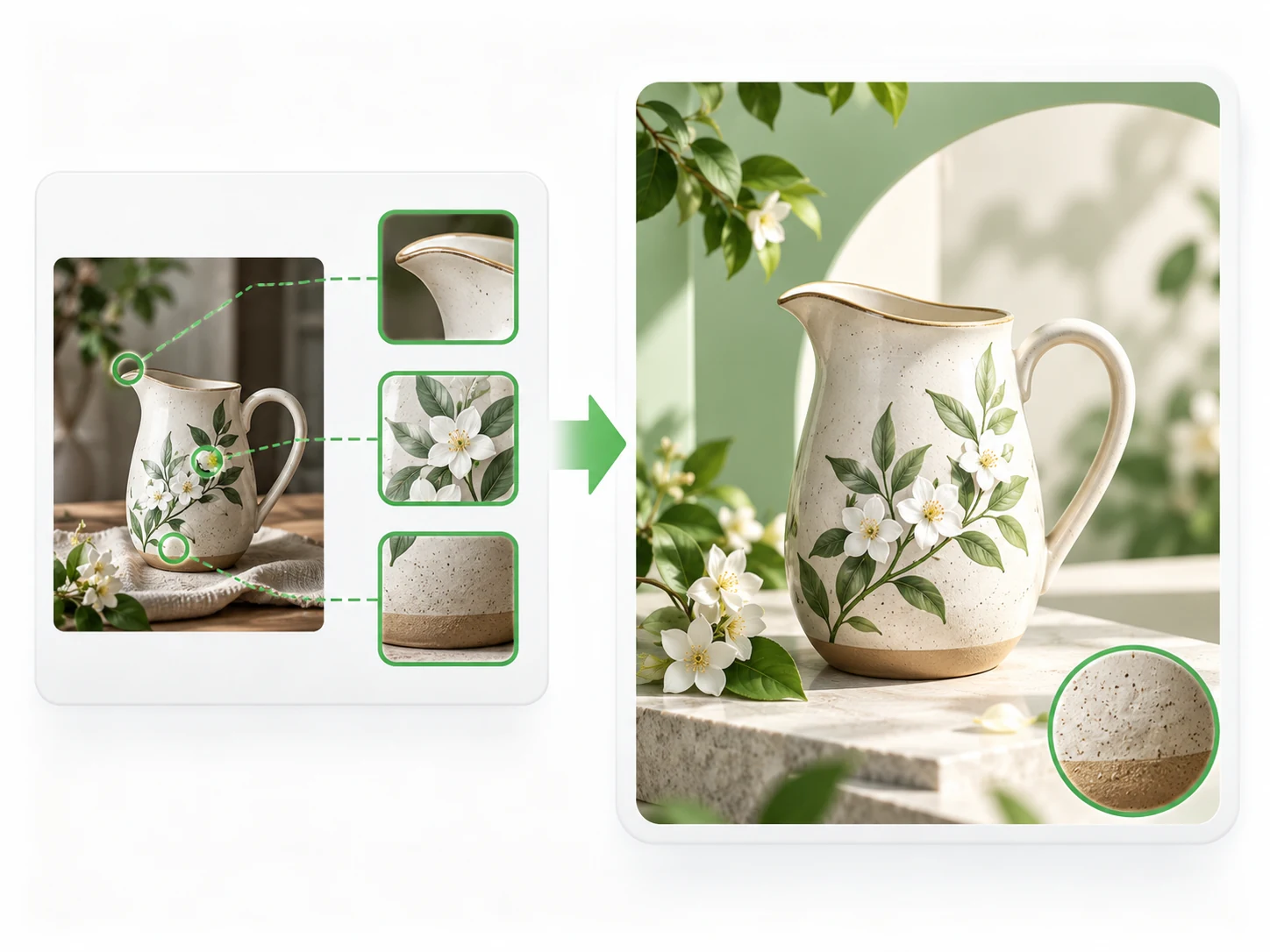
For reference-based work, list the subject features to preserve before describing a new setting or treatment. GPT Image 2.5 Flare can use this direction to explore product, character and object variations. If silhouette, pattern and material all matter, name them separately and inspect each in the result.

A floral ceramic jug arranged in a new scene, with detail callouts indicating shape, botanical motifs and texture to review.

How to prompt it

Use a ceramic teapot reference. Preserve its silhouette, blue pattern and ceramic material; change only the tabletop, background and light while keeping the same viewing angle.

Is this model a fit for your task?

When to try this model

Try it for ad concepts, portrait directions, product backgrounds and reference variations. A fixed subject with explicit keep-and-change instructions gives you a practical way to compare several visual approaches.

What to consider

Subject details may vary between generations. Check silhouettes, wording and materials. The Flare name does not promise a fixed generation time; choose output size using the listed credits and your delivery requirements.

ImageWish

Try GPT Image 2.5 Flare for free on ImageWish

Sign up for ImageWish for free to receive a one-time gift of 100 credits. Verify your email to use these credits to try GPT Image 2.5 Flare for free. No credit card is required.

A 1K image with GPT Image 2.5 Flare currently costs 20 credits. If you use the entire signup gift for this setting, it covers up to 5 images. Choose your output settings in the workspace and check the credit cost before generating.

The signup gift is shared across all supported models and is granted once per new account. When your credits run out, you can buy a one-time ImageWish credit package as needed, with no subscription or automatic renewal.

Text and reference images
Start with text, or add up to 5 JPEG, PNG or WebP references in the workspace. Describe what to preserve and change.
Multiple aspect ratios
1:1 · 2:3 · 3:2 · 3:4 · 4:3 · 9:16 · 16:9
Your creation flow
Choose settings, check the credit cost and generate one image. Follow progress in history, then view and download the result. You can switch models in the same workspace.

Resolution and credit cost

Resolution and credit cost
ResolutionCredits per image
1K20
2K30
4K50

Each generation creates one image. Choose a resolution in the workspace and check the credit cost before you generate. Higher resolution uses more credits; completed images are saved in your generation history.

View ImageWish credit packages

Frequently asked questions

Why do subject details change between generations?

Each submission creates a new image. References and preservation instructions help communicate the brief but cannot guarantee identical details. Specify important shapes, colors and features separately, then review the result.

How should I compare two creative directions?

Keep the subject, aspect ratio and main composition fixed. Change one condition, such as lighting or background color, and compare suitability for the task, subject clarity and detail accuracy.

Make it your own

Start with your idea. GPT Image 2.5 Flare will be selected in the workspace.

Start creating

Explore another model